> For the complete documentation index, see [llms.txt](https://docs.defguard.net/llms.txt). Markdown versions of documentation pages are available by appending `.md` to page URLs; this page is available as [Markdown](https://docs.defguard.net/1.4/using-defguard-for-end-users/desktop-client.md).
# Desktop Client
### Overview
Desktop client provides an easy way to access VPN locations of multiple Defguard instances via user-friendly UI.
Download latest release here:
For development/pre-releases, go to GitHub:
Guides:
* [Instance configuration](/1.4/using-defguard-for-end-users/desktop-client/instance-configuration.md)
* [Using Multi-Factor Authentication](/1.4/using-defguard-for-end-users/desktop-client/using-multi-factor-authentication-mfa.md)
### Windows
Our desktop client has **bundled** official WireGuard client - as we use **wg.exe** to manage the WireGuard tunnels.
{% hint style="danger" %}
If you have the official WireGuard client installed - Defguard client installation may fail.
{% endhint %}
### MacOS
Has no external requirements and we have wireguard-go bundled.
### Linux
{% hint style="warning" %}
On Linux the desktop client uses `resolvconf` to manage DNS servers. On newer distributions it should be a symbolic link to `resolvectl`, more details can be found on the [troubleshooting](https://github.com/DefGuard/docs/blob/docs/help/broken-reference/README.md) page.
{% endhint %}
### Ubuntu
#### Ubuntu 24
The libwebkit2gtk-4.0 library which our client depends on is not available in the default apt package repositories on Ubuntu 24.04 (there is only libwebkit2gtk-4.1 which doesn't work with current client). Client installation is still possible, but requires using some workarounds:
To safely install a package from Ubuntu Jammy repositories without breaking your system:
1. **Add Jammy Repo:**
* Open `/etc/apt/sources.list`:
```bash
sudo nano /etc/apt/sources.list
```
* Add the Jammy repository with `[arch=amd64]` for your architecture:
```
deb [arch=amd64] http://archive.ubuntu.com/ubuntu/ jammy main universe
```
* Save and exit.
2. **Pin the Jammy Repo with low priority:**
* Create `/etc/apt/preferences.d/jammy.pref`:
```bash
sudo nano /etc/apt/preferences.d/jammy.pref
```
* Add the following:
```
Package: *
Pin: release n=jammy
Pin-Priority: -10
```
* Save and exit.
3. **Install the Specific Package:**
```bash
sudo apt update
sudo apt install -t jammy libwebkit2gtk-4.0
```
4. **Optionally: Remove Jammy Repo After Use:**\
Delete or comment out the Jammy entry in `/etc/apt/sources.list`.
#### ArchLinux
There is an [AUR package](https://aur.archlinux.org/packages/defguard-client)[: defguard-client](https://aur.archlinux.org/packages/defguard-client).
If you don't know how to install AUR packages, please follow these guidelines:
* Manual install:
* Installation through PARU (AUR Helper):
### Client update
Defguard Client regularly checks for updates and in order to do so operating system name and installed application version are sent to the Defguard update service.
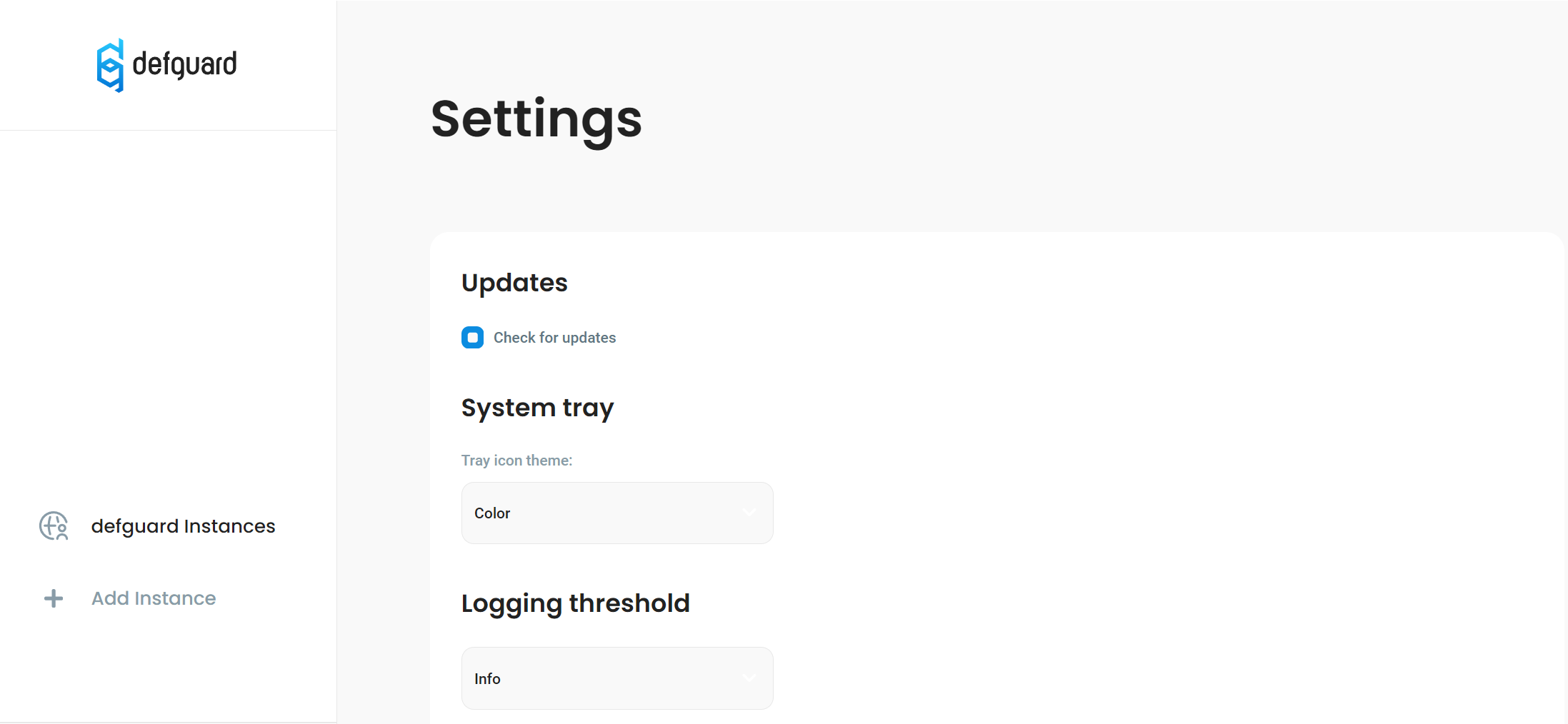
This functionality can be turned off in the Client settings under Updates section so that no data is sent.
"Check for updates" setting
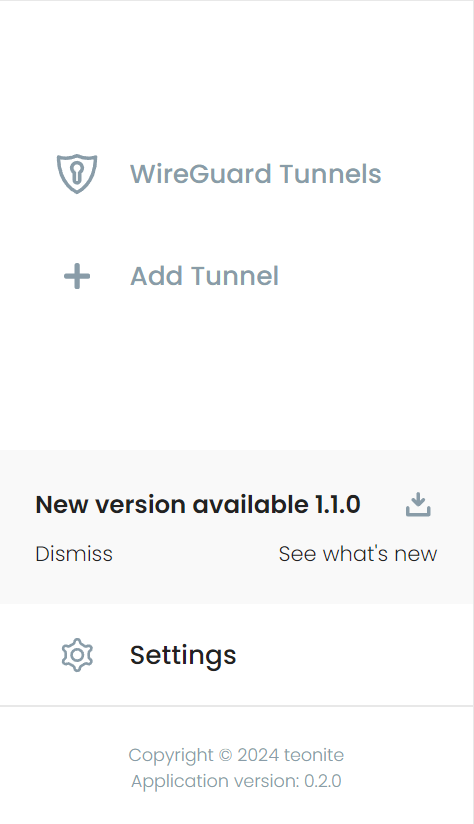
If a new version is available, a notification with a download button will be shown near the bottom of the menu.