> For the complete documentation index, see [llms.txt](https://docs.defguard.net/llms.txt). Markdown versions of documentation pages are available by appending `.md` to page URLs; this page is available as [Markdown](https://docs.defguard.net/1.4/using-defguard-for-end-users/desktop-client/using-multi-factor-authentication-mfa.md).
# Using Multi-Factor Authentication (MFA)
{% hint style="danger" %}
Connecting to location with required **external** MFA is possible in the desktop client since [**version 1.5.0**](/1.5/using-defguard-for-end-users/desktop-client/using-multi-factor-authentication-mfa.md#external-mfa)**.**
{% endhint %}
## Internal MFA
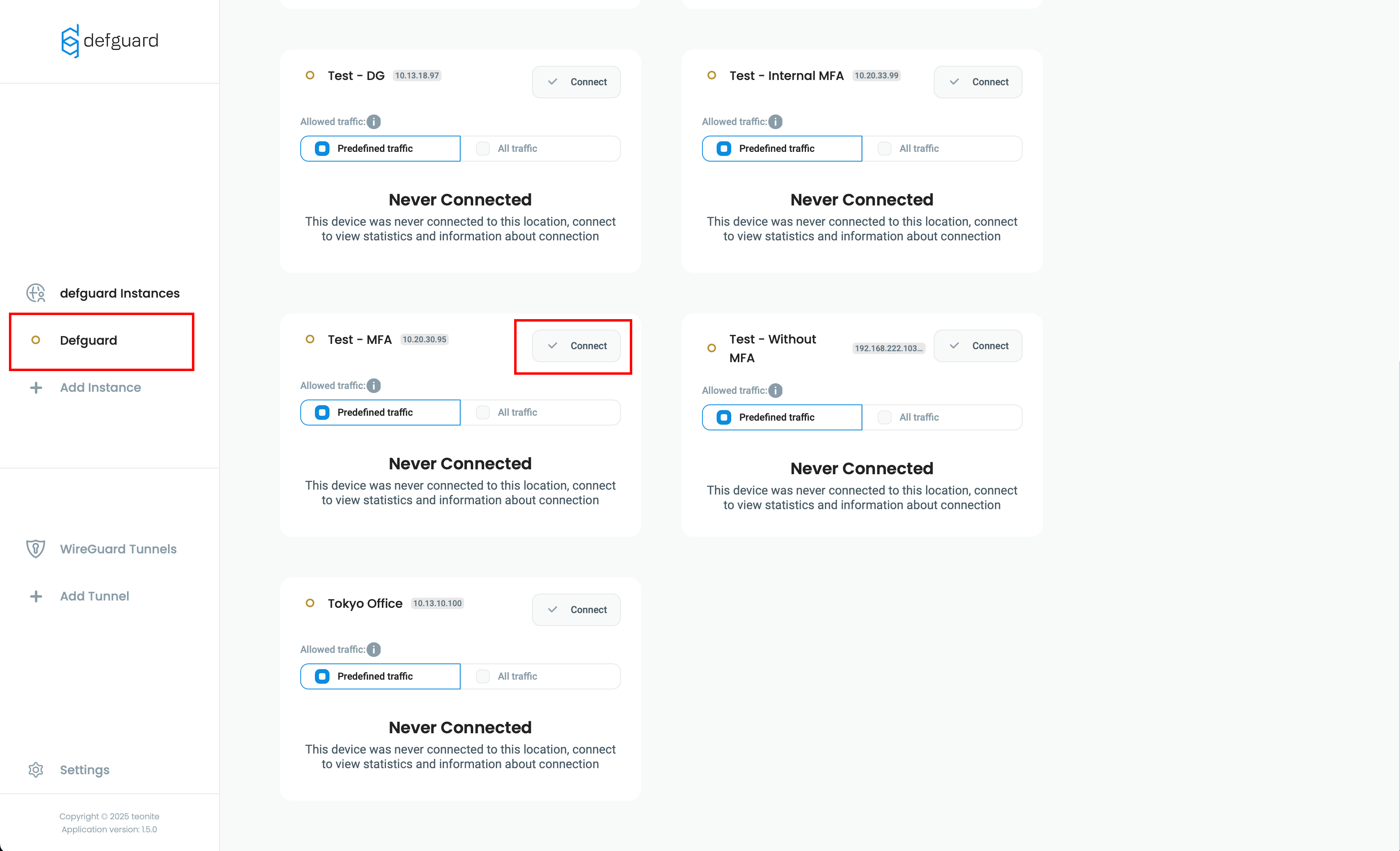
1. Open Defguard client, select your Instance and click **Connect** next to location with required MFA
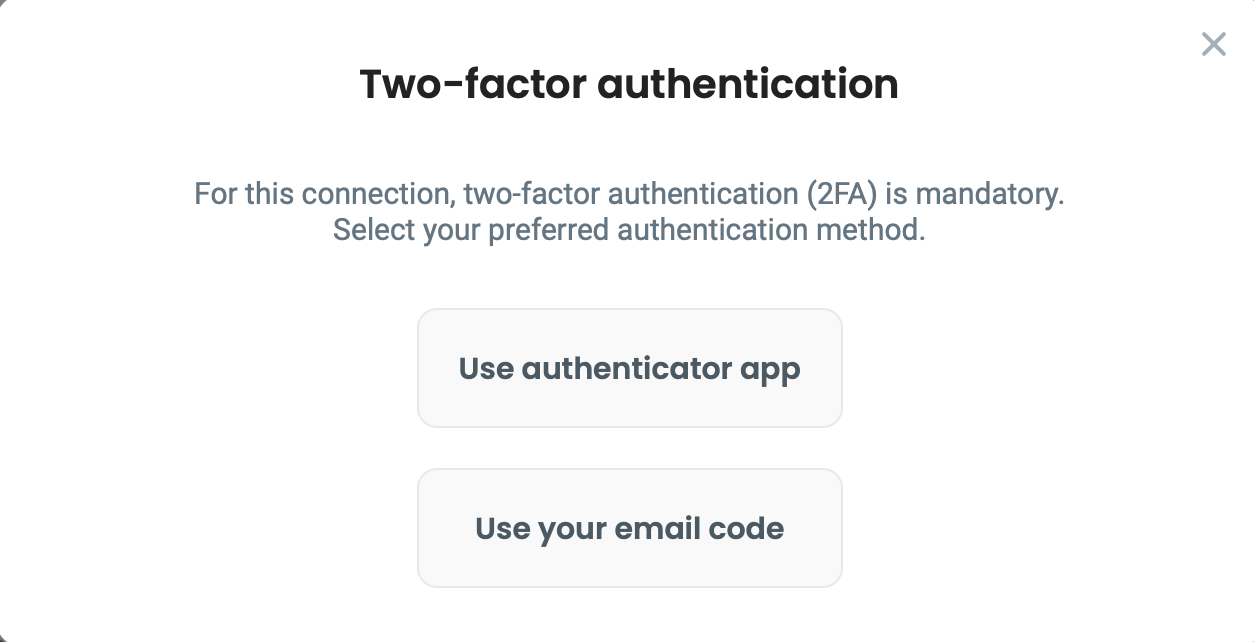
2. Choose method configured for your account, and click **Connect**.
* If you're using "Email" method, please enter the code sent to your email.
* If you're using "Authenticator App", please enter code generated within your authenticator app.
{% hint style="info" %}
If you don't know how to setup or use your **Authenticator App** please check [this article](/1.4/using-defguard-for-end-users/setting-up-2fa-mfa.md#setting-up-2famfa) for detailed information.
{% endhint %}
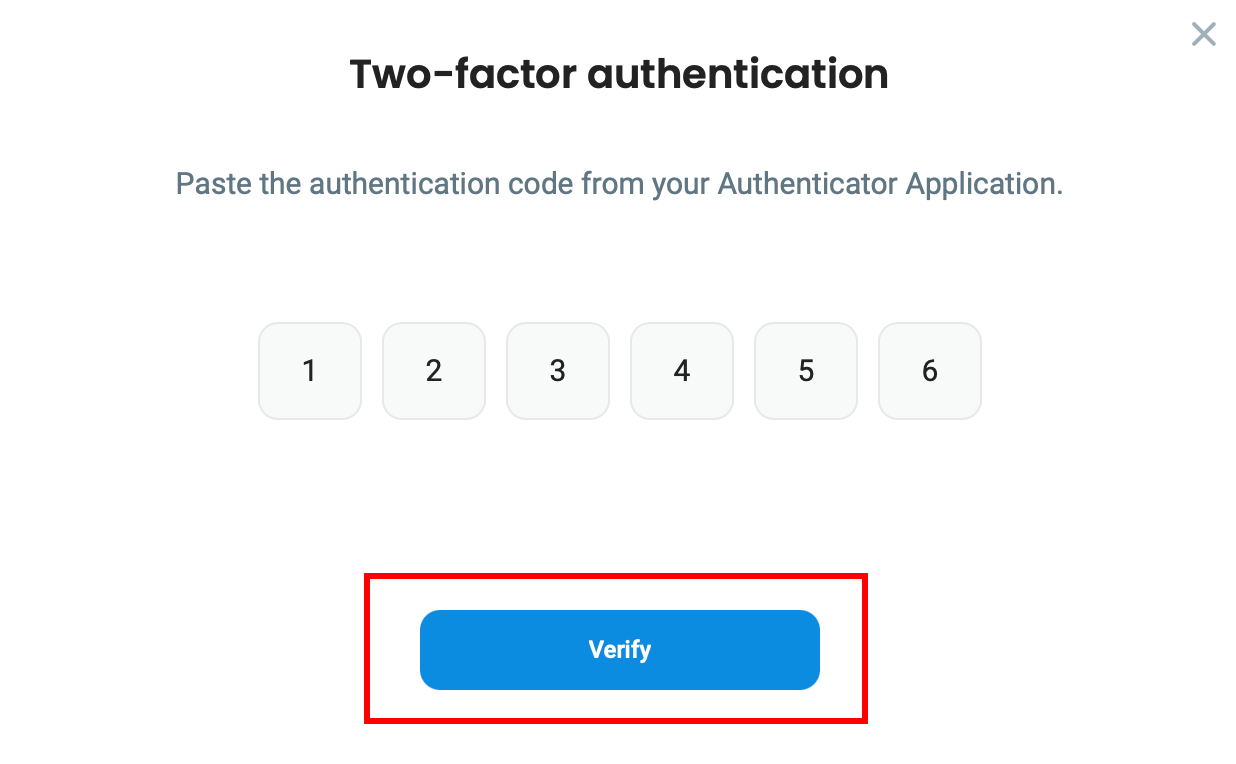
3. After entering code, click **Verify**
Your connection will be established immediately after this step.