> For the complete documentation index, see [llms.txt](https://docs.defguard.net/llms.txt). Markdown versions of documentation pages are available by appending `.md` to page URLs; this page is available as [Markdown](https://docs.defguard.net/using-defguard-for-end-users/mobile-client/instance-manage.md).
# Managing your Instance
In this guide you will learn how to manage your instances. If you haven't added your instance yet, follow [this guide](/using-defguard-for-end-users/mobile-client/instance-adding.md#adding-instance-in-defguard)
## Changing traffic routing method after first connection
1. Open Defguard.
2. Go to **Instances** in the app menu.
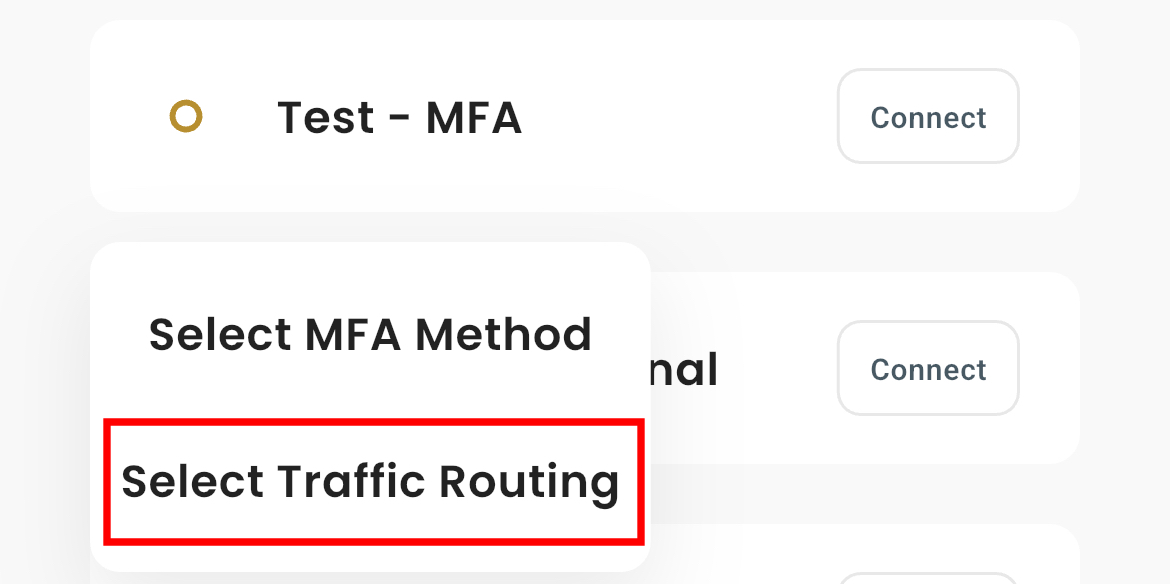
3. Press & Hold the **Connect** button next to the location you want to update.
4. When the popup appears, look for the option **Select Traffic Routing**.
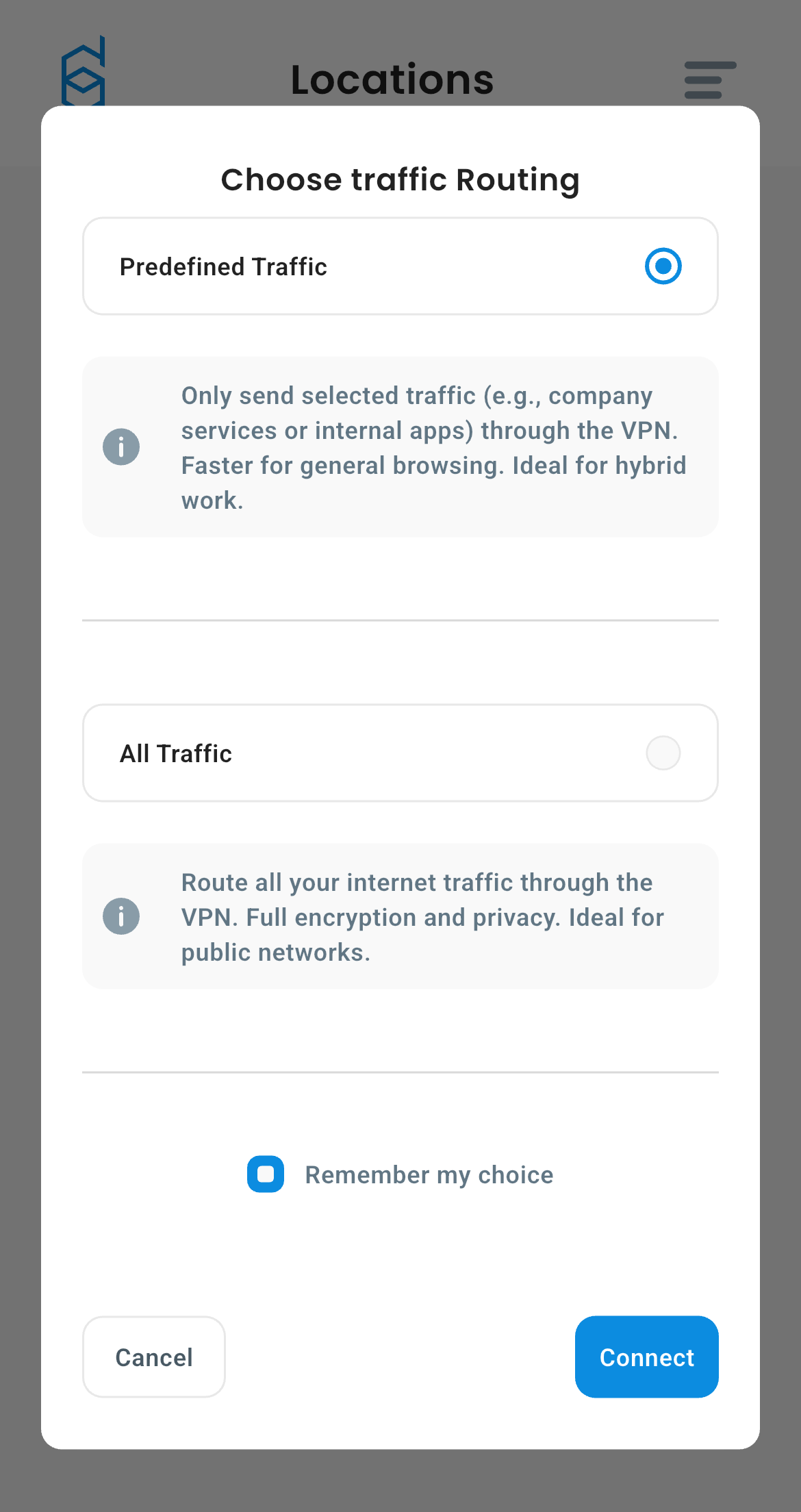
5. You will see this:
6. Choose method and click **Connect**
## Changing MFA method after first connection
1. Go to **Instances** in the app menu.
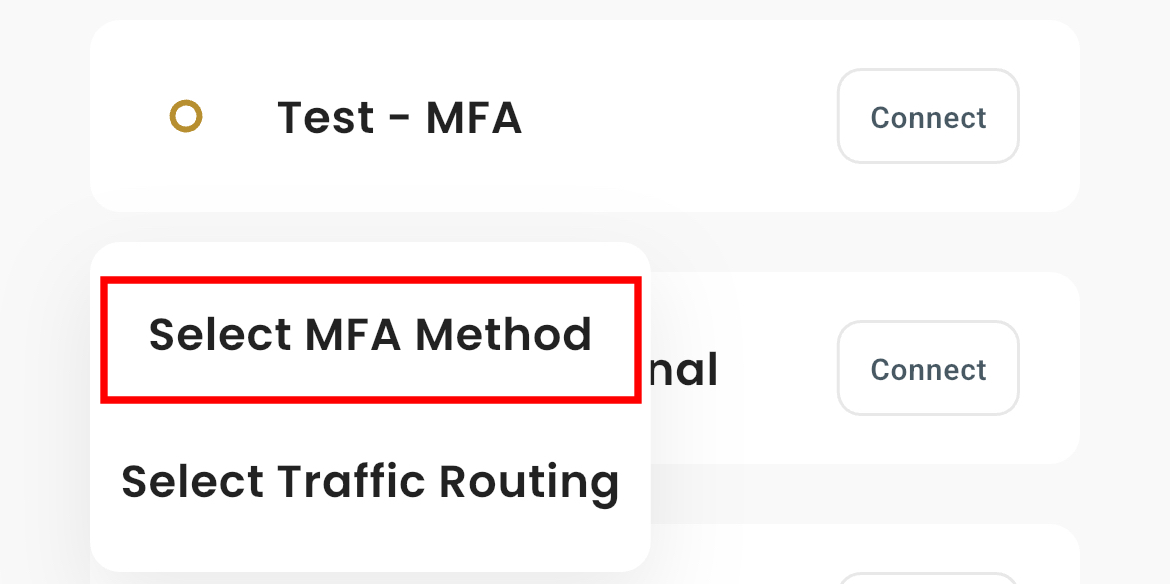
2. Press & Hold **Connect** button next to location name and wait until popup shows.
3. Click **Select MFA Method**.
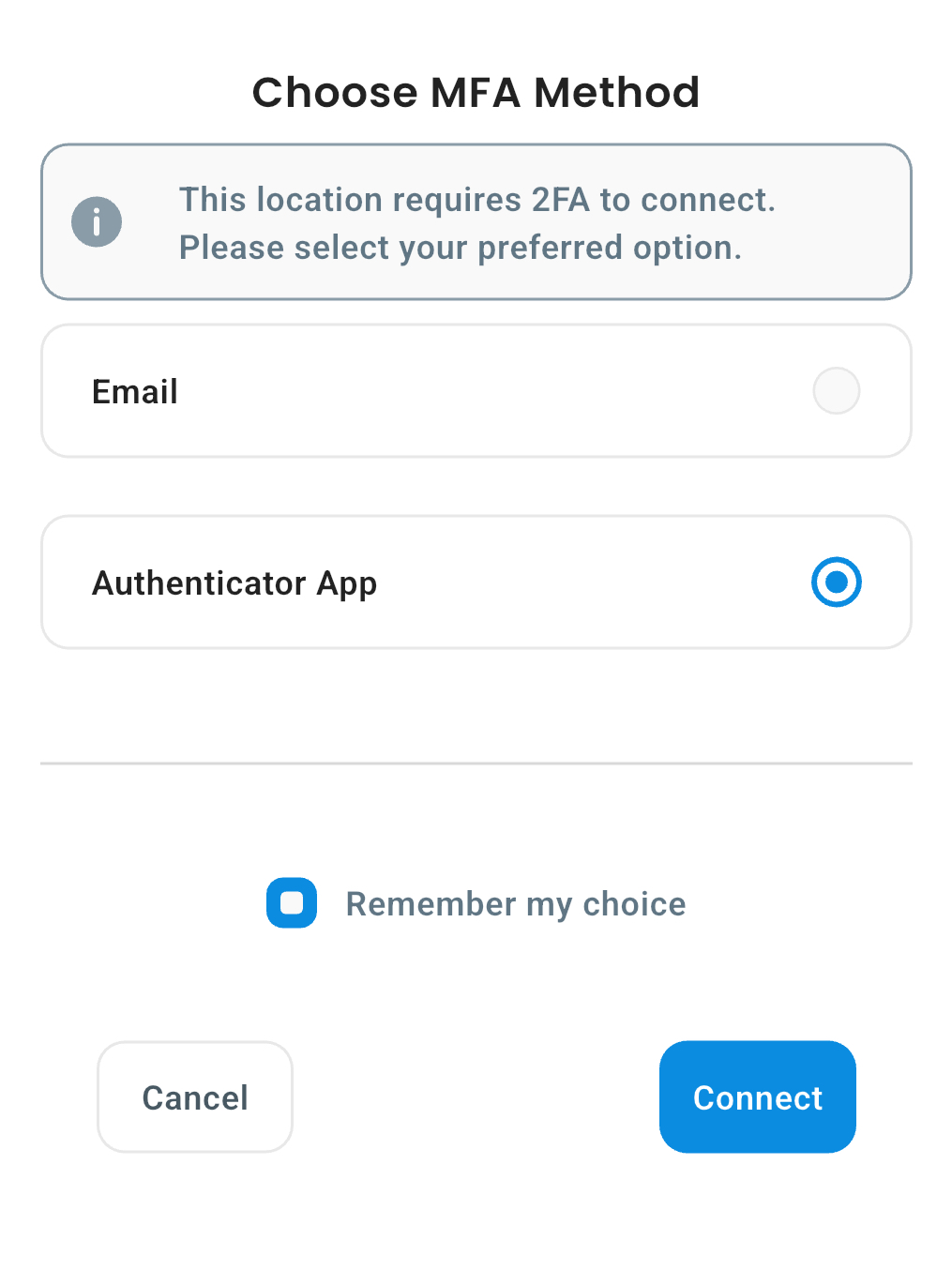
4. You will see this:
5. Choose method and click **Connect**