> For the complete documentation index, see [llms.txt](https://docs.defguard.net/llms.txt). Markdown versions of documentation pages are available by appending `.md` to page URLs; this page is available as [Markdown](https://docs.defguard.net/using-defguard-for-end-users/desktop-client/mtu-setting.md).
# MTU Setting
Defguard client supports manual MTU configuration to ensure stable VPN connections on mobile and carrier-grade networks. These networks often enforce lower MTU limits, which can cause VPN traffic to be dropped even though the tunnel appears connected.
Adjusting the MTU reduces packet size so traffic fits within network constraints, improving reliability without server-side changes. Typical working values are in the **1300-1500** range.
### How to find MTU setting?
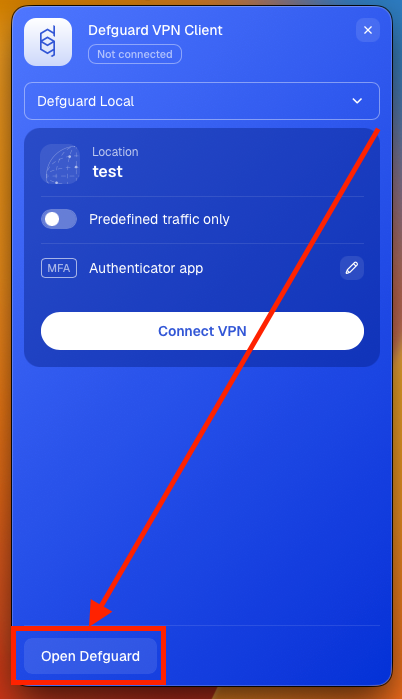
1. If you don't have **Defguard** in full view mode, open **Defguard** from tray view, and click **Open Defguard**
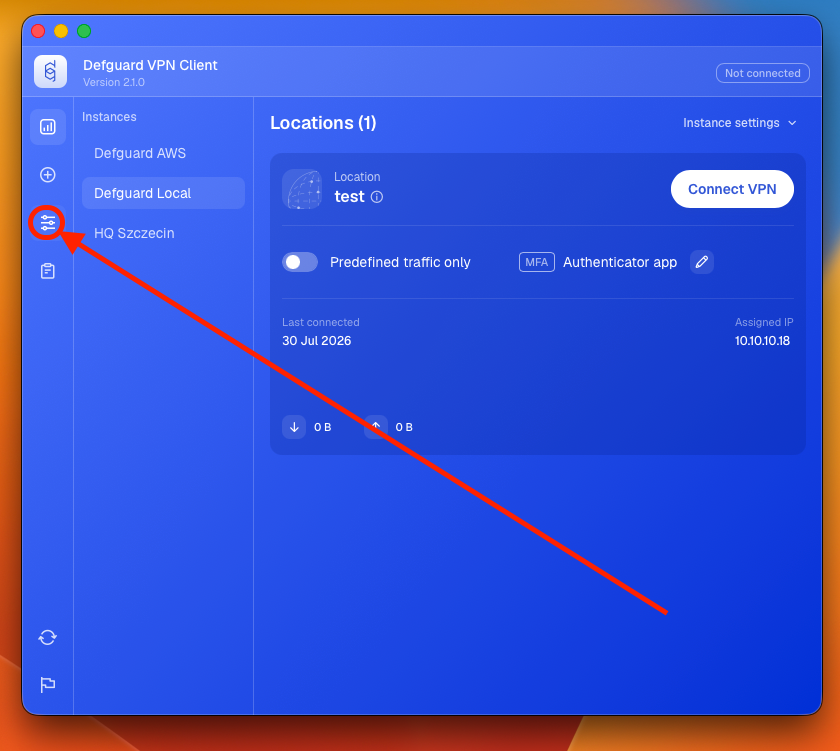
2. Go to settings tab.
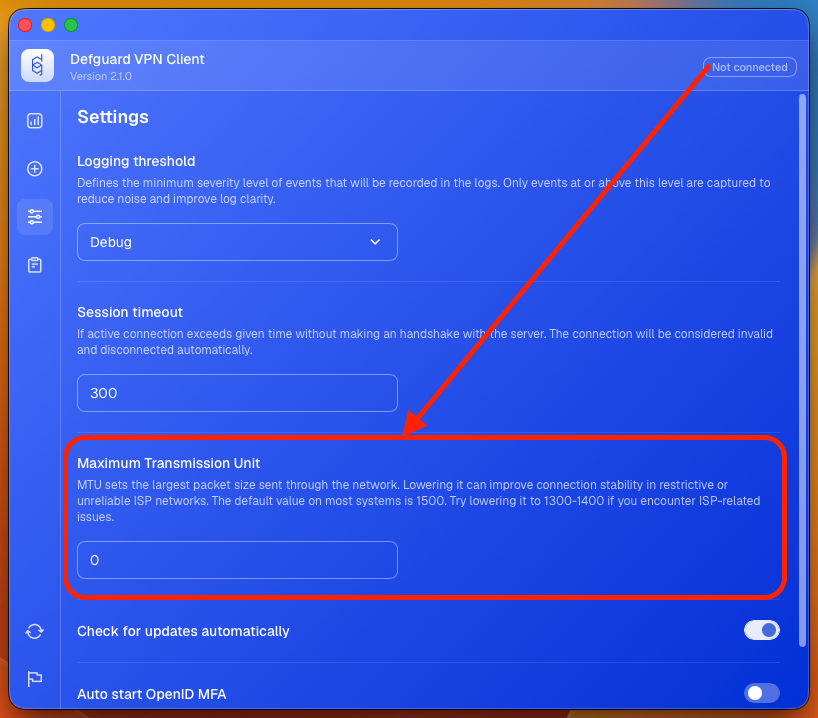
3. Find MTU setting
### When to adjust the MTU
Consider lowering the MTU when the tunnel connects successfully but you experience symptoms such as:
* Connections that hang or time out even though the client shows as connected.
* Web pages that start loading and then stall, or large downloads that stall.
* Traffic working over some networks (for example, home Wi-Fi) but not others (for example, mobile hotspots or hotel Wi-Fi).
These are classic signs of packets being too large for the underlying network path.
### How to choose a value
If the default value doesn't work, try progressively lower values within the **1300-1500** range until the connection is stable. A common safe value for problematic networks is **1280**. Lowering the MTU too far reduces throughput, so use the highest value that keeps the connection reliable.
{% hint style="info" %}
If lowering the MTU does not resolve your issue, see the troubleshooting guide [Client connects but cannot reach VPN servers (MTU)](/support-1/troubleshooting-guides/desktop-client/client-connects-but-cannot-reach-vpn-servers-mtu.md).
{% endhint %}
***