> For the complete documentation index, see [llms.txt](https://docs.defguard.net/llms.txt). Markdown versions of documentation pages are available by appending `.md` to page URLs; this page is available as [Markdown](https://docs.defguard.net/features/external-openid-providers/external-oidc-secure-enrollment.md).
# External OIDC secure enrollment
{% hint style="warning" %}
**Availability**
This feature is available in Business and Enterprise plans. See the [pricing page](https://defguard.net/pricing/) for details.
{% endhint %}
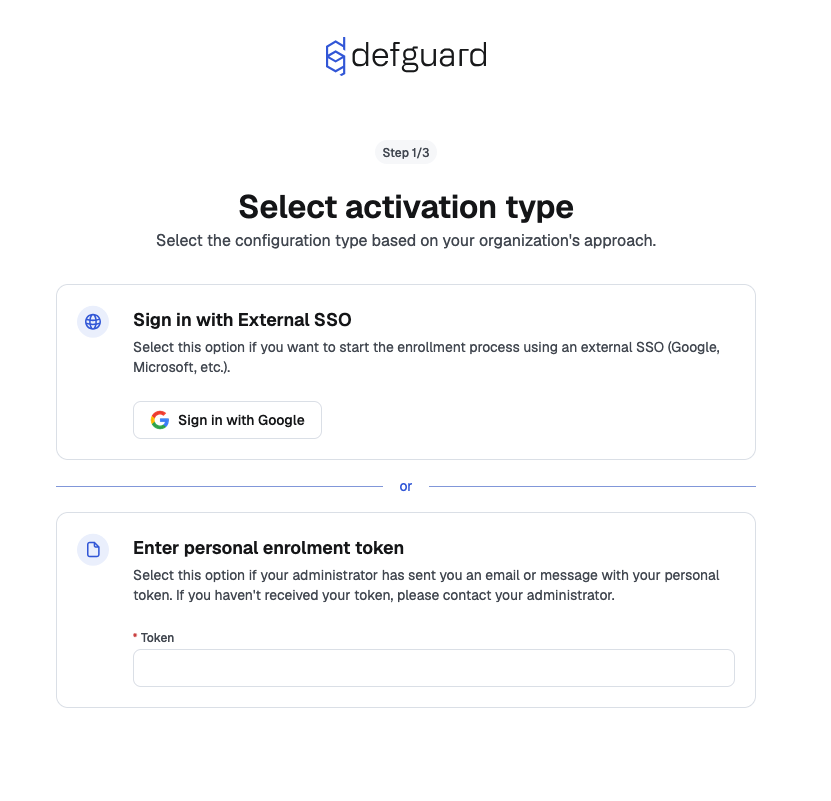
When [External OIDC is enabled,](/features/external-openid-providers.md) users have the possibility to [securely enroll (automatically create a Defguard account) and very easily configure their desktop client](/using-defguard-for-end-users/enrollment/with-external-sso-google-microsoft-custom.md) just by logging in with the SSO provider.
## Step-by-step guide
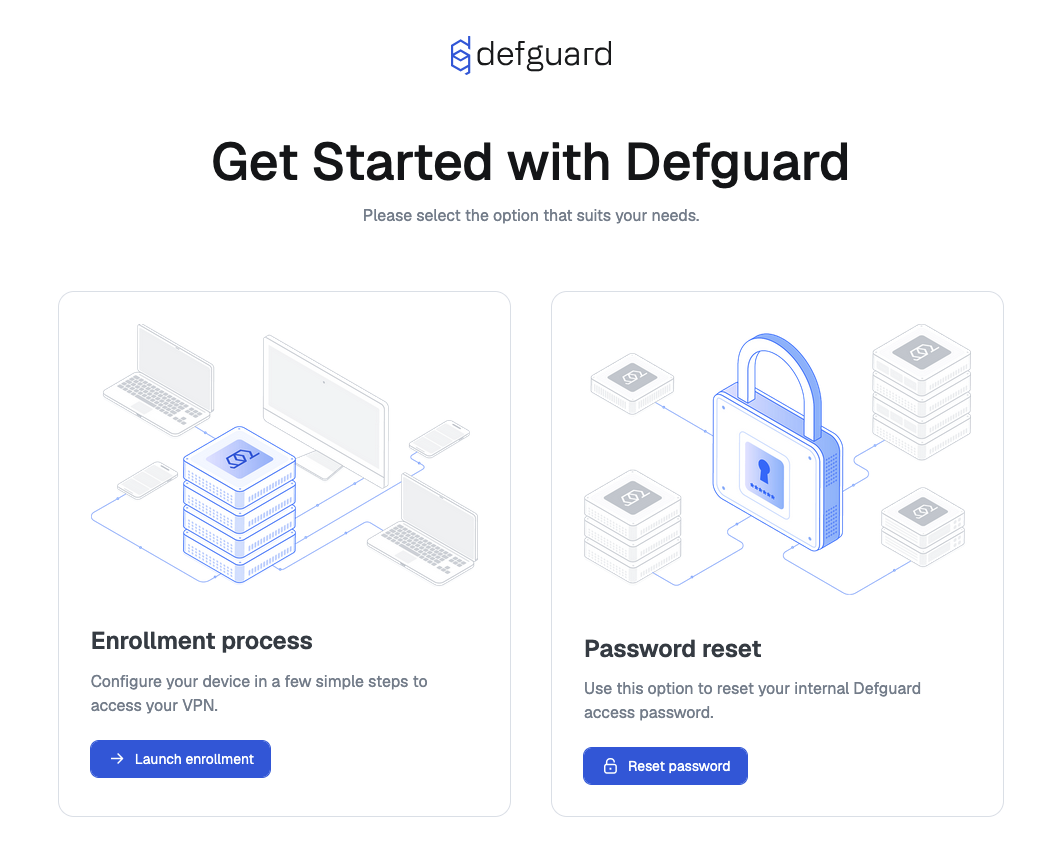
1. Go to **Edge** site
2. Click "**Launch enrollment**"
3. Click "**Sign in with Google**" (in this example)
For this to work, see [External SSO/OpenID providers](/features/external-openid-providers.md#openid-enrollment).
## Troubleshooting
### Sign in with External SSO section not visible after configuring the external SSO
Make sure the External SSO is configured properly and reachable from the Defguard Core service.
After clicking the **Launch enrollment** button check the Core service logs. Look for error messages similar to:
```
ERROR defguard_proxy_manager::handler: message=Failed to setup external OIDC provider client: Authorization error: Failed to discover provider metadata, make sure the URL is correct: http://example.com/realms/master. Error details: Request failed [2.1.0 Debian 13.0.0 x86_64]
```