> For the complete documentation index, see [llms.txt](https://docs.defguard.net/llms.txt). Markdown versions of documentation pages are available by appending `.md` to page URLs; this page is available as [Markdown](https://docs.defguard.net/1.6/using-defguard-for-end-users/desktop-client.md).
# Desktop Client
### Overview
Desktop client provides an easy way to access VPN locations of multiple Defguard instances via user-friendly UI.
Download latest release here:
For development/pre-releases, go to GitHub:
Guides:
* [Instance configuration](/1.6/using-defguard-for-end-users/desktop-client/instance-configuration.md)
* [Using Multi-Factor Authentication](/1.6/using-defguard-for-end-users/desktop-client/using-multi-factor-authentication-mfa.md)
### macOS
Defguard Desktop Client is available in the [App Store](https://apps.apple.com/pl/app/defguard-desktop-client/id6754601166).
### Linux
After installing the Defguard client package, a '*defguard*' group is added to your system. This group has access to the background service that controls VPN interfaces.
The package installation scripts attempt to detect the user running the installation, but if you install it as "*root*", we cannot determine which user to add to the defguard group—you will need to do this manually.
Additionally, after being added to the group, the user must log out for the changes to take effect.
More details about the group and permissions can be found here:
{% hint style="warning" %}
On Linux the desktop client uses `resolvconf` to manage DNS servers. On newer distributions it should be a symbolic link to `resolvectl`, more details can be found on the [troubleshooting](https://github.com/DefGuard/docs/blob/docs/help/broken-reference/README.md) page.
{% endhint %}
{% hint style="warning" %}
On Linux the desktop client requires the user to belong to the `defguard` group in order to access the `defguard.socket` Unix socket used for IPC.
The official packages handle group setup, but logging out and back in or rebooting might be required on initial client install to refresh group membership. This is no longer required on subsequent updates.
{% endhint %}
### ArchLinux
There is an [AUR package](https://aur.archlinux.org/packages/defguard-client)[: defguard-client](https://aur.archlinux.org/packages/defguard-client).
If you don't know how to install AUR packages, please follow these guidelines:
* Manual install:
* Installation through PARU (AUR Helper):
### Ubuntu 22.04 / Debian 12
Use the official [Defguard APT repository](/1.6/deployment-strategies/standalone-package-based-installation/defguard-apt-repository.md) or download `defguard-client_{x.x.x}_{arch}_ubuntu-22-04-lts.deb` from [releases](https://github.com/DefGuard/client/releases).
### Client update
Defguard Client regularly checks for updates and in order to do so operating system name and installed application version are sent to the Defguard update service.
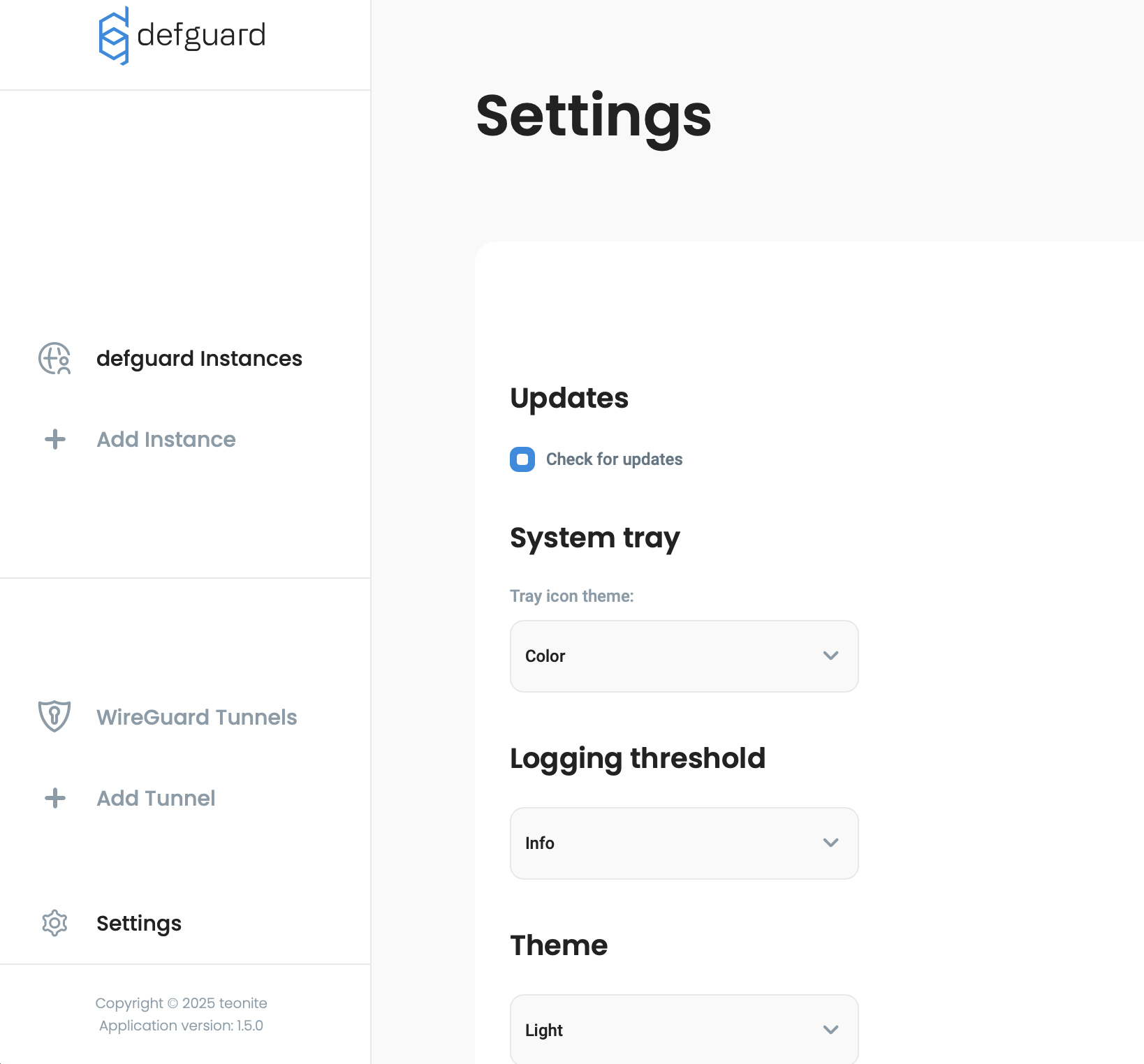
This functionality can be turned off in the Client settings under Updates section so that no data is sent.
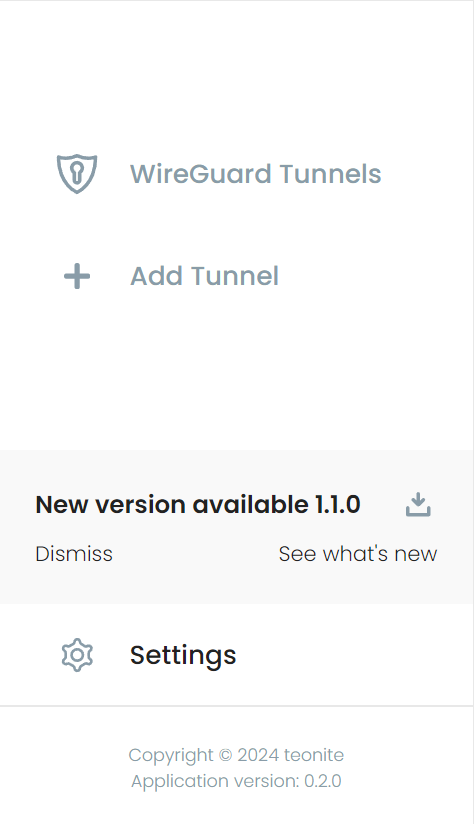
If a new version is available, a notification with a download button will be shown near the bottom of the menu.
New Desktop Client version available for download
### Storage
Application data is stored in following locations:
| Platform | Storage directory |
| --------- | ---------------------------------------------- |
| Windows | C:\Users\\\\AppData\Roaming\net.defguard |
| macOS | $HOME/Library/Containers/net.defguard |
| BSD/Linux | $HOME/.local/share/net.defguard |
### Log files
All relevant application logs should be available in the clients Settings where they can be filtered by source and log level:\\
In case of unexpected issues, the log files themselves can be found in the following default locations:
| Platform | Client logs | Background service logs |
| --------- | -------------------------------------------------------------------- | ------------------------------------------------------ |
| Windows | C:\Users\\AppData\Roaming\net.defguard\logs | C:\Logs\defguard-service |
| macOS | $HOME/Library/Containers/net.defguard/Data/Library/Logs/net.defguard | $HOME/Library/Group Containers/group.net.defguard/Logs |
| BSD/Linux | $HOME/.local/share/net.defguard/logs | /var/log/defguard-service |
%20(1).png?alt=media)