> For the complete documentation index, see [llms.txt](https://docs.defguard.net/llms.txt). Markdown versions of documentation pages are available by appending `.md` to page URLs; this page is available as [Markdown](https://docs.defguard.net/1.6/features/wireguard/behavior-customization.md).
# VPN & Client behaviour customization
{% hint style="warning" %}
#### Availability
This feature is available in all plans, with usage limits. See the [pricing page](https://defguard.net/pricing/) for details.
{% endhint %}
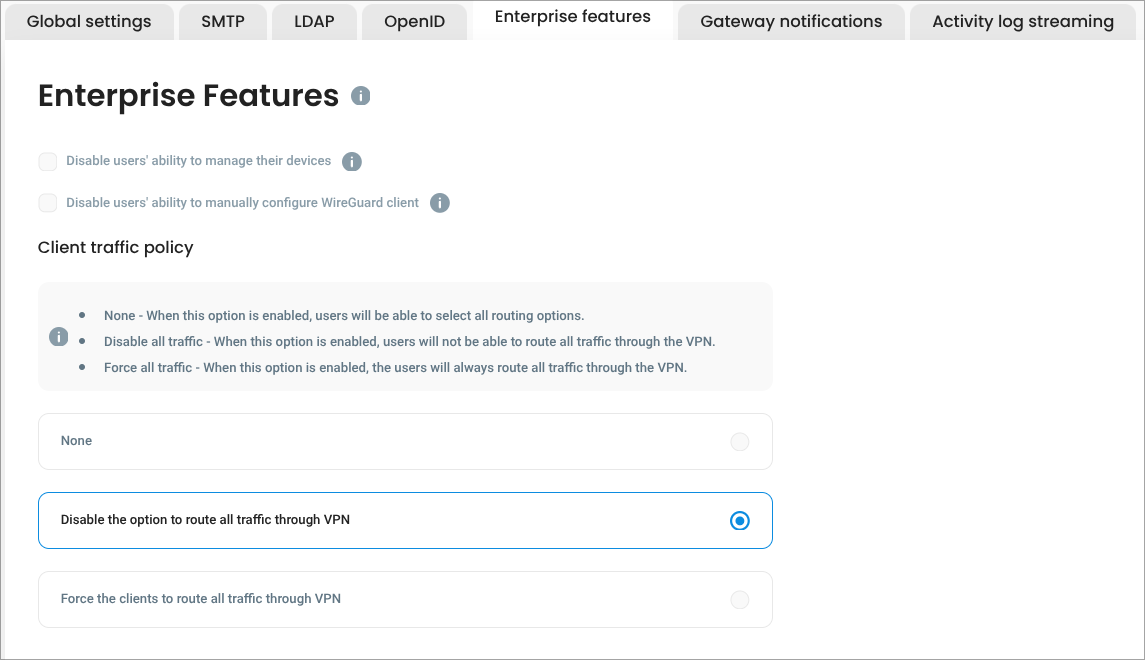
After purchasing the Enterprise License the *Enterprise features* **tab will be activated**, enabling the administrator to configure additional features:
### Disable for users to manage their devices
When this option is enabled, **only users in the Admin group can manage devices in user profile**, for any other users adding/editing/removing their VPN devices is disabled.
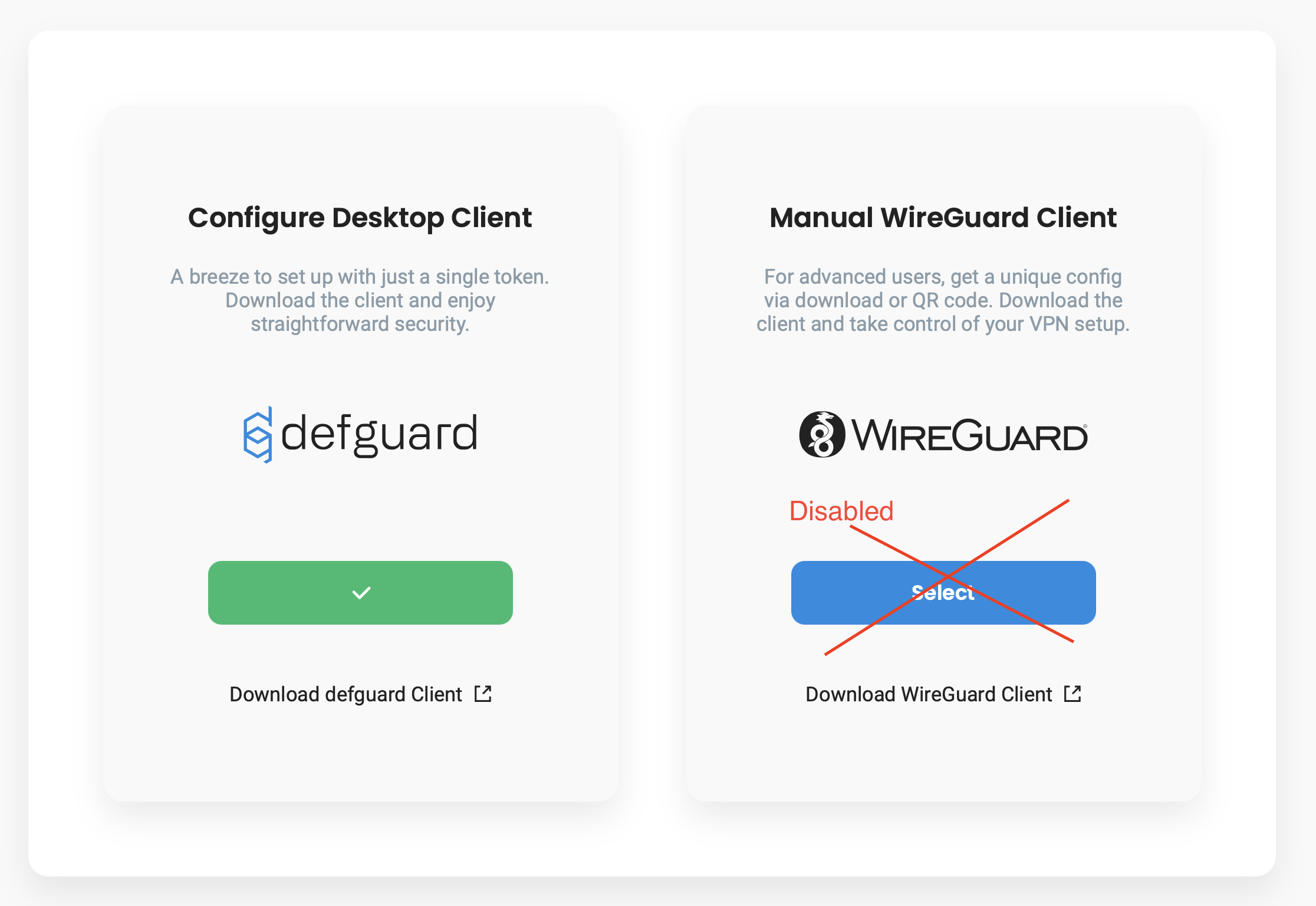
### Disable ability to configure other VPN clients then Defguard desktop client
If '*Disable users' ability to manually configure WireGuard client*' option is **enabled**, then any user **has only possibility to configure Defguard desktop client.**
This option will not be available for users:
### Client traffic policy selection
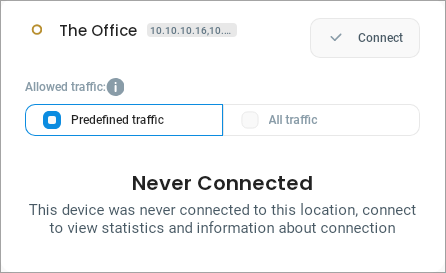
One of the unique features of Defguard desktop client is the ability for users to choose whether to route only **predefined network traffic** or **all traffic** from their device through a connected VPN location.
However, in some cases administrators may want to enforce a specific behavior - allowing access only to predefined traffic or requiring all traffic to pass through the VPN.
\
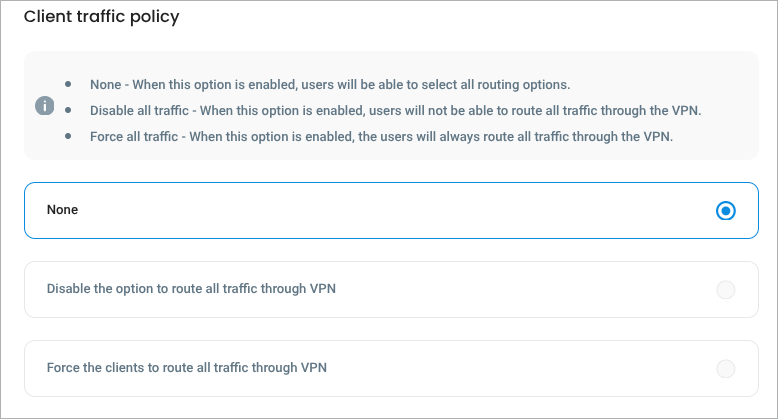
The **Client Traffic Policy** setting enables administrators to control this behavior as needed. The available options are:
* **None** - Users can freely choose between routing predefined traffic or all traffic through the VPN.
* **Disable all traffic** - Only predefined traffic is allowed, the "All traffic" option is disabled for users.
* **Force all traffic** - All traffic is routed through the VPN, the "All traffic" option is enforced and cannot be changed by users.
{% hint style="warning" %}
Please note that this option is only client-side enforced, meaning the user may manually modify Wireguard interface to force all traffic to go through the VPN.
{% endhint %}