> For the complete documentation index, see [llms.txt](https://docs.defguard.net/llms.txt). Markdown versions of documentation pages are available by appending `.md` to page URLs; this page is available as [Markdown](https://docs.defguard.net/1.6/deployment-strategies/running-gateway-on-opnsense-firewall.md).
# Running Gateway on OPNsense firewall
## OPNsense plugin
[OPNsense®](https://opnsense.org/) is an open source, feature rich firewall and routing platform, offering cutting-edge network protection.
To start Defguard Gateway as OPNsense plugin:
1. On the [release page](https://github.com/DefGuard/gateway/releases) find and download OPNsense package which will be named:\
`defguard-gateway_VERSION_x86_64-unknown-opnsense.pkg` – this package **includes both Defguard Gateway and OPNsense plugin.**
2. Install the package:
```bash
pkg add defguard-gateway_VERSION_x86_64-unknown-opnsense.pkg
```
3. Refresh your OPNsense UI by running command below:
```bash
opnsense-patch
```
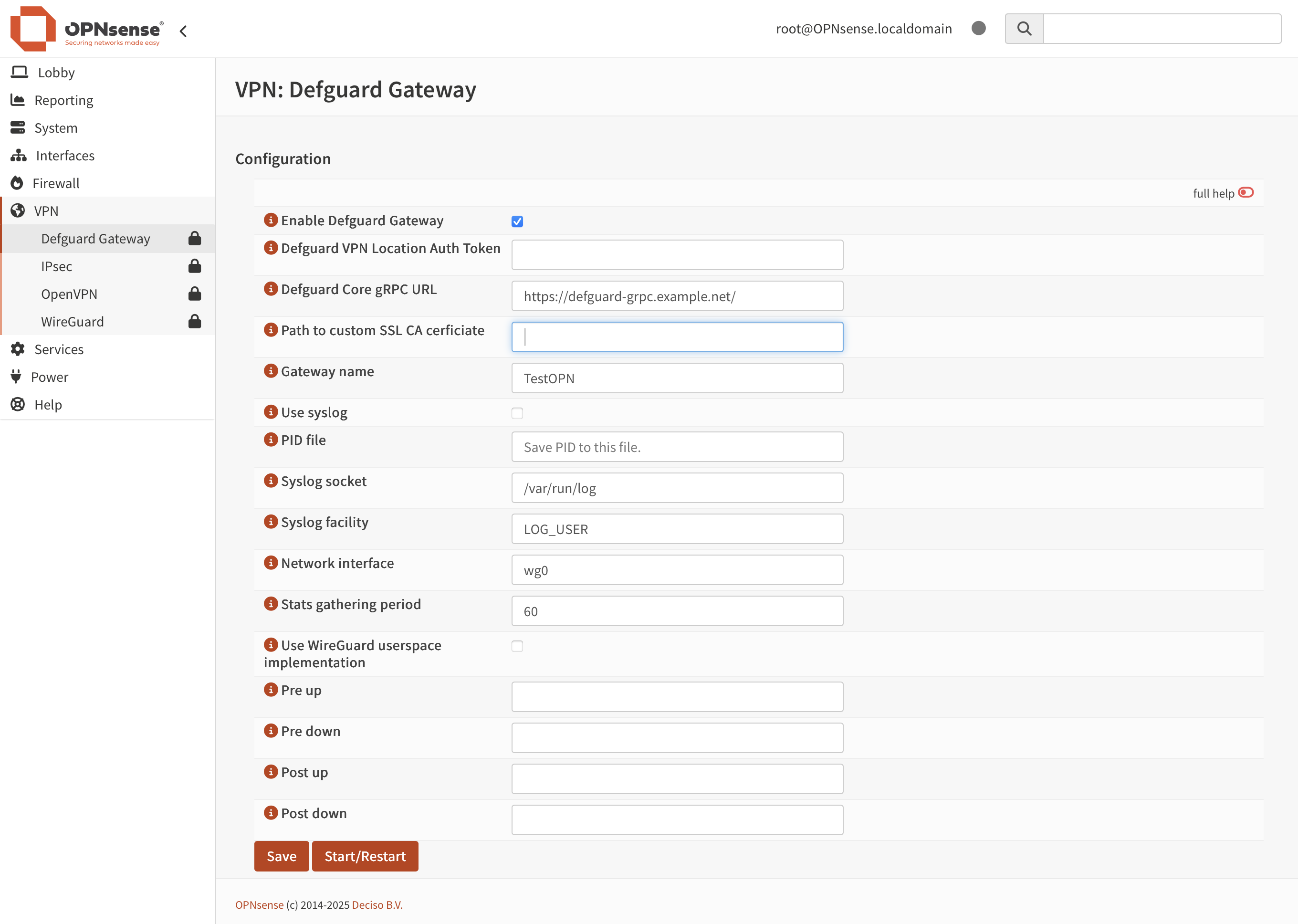
4. Go to your OPNsense UI and navigate to **VPN** > **Defguard Gateway**.
5. Fill out the form with appropriate values, click **Save**, and then click **Start/Restart.**
{% hint style="info" %}
You can find detailed description of all fields [here](/1.6/deployment-strategies/configuration.md#gateway-configuration).
{% endhint %}
If everything went well, Defguard Gateway should be connected to Defguard Core and you can start [adding new devices to your network](/1.6/features/wireguard/remote-desktop-activation.md).
See also: [how to configure Defguard in OPNsense](/1.6/features/gateway.md)
## Binary Install
1. Checkout Gateway releases [here](https://github.com/DefGuard/gateway/releases) and download compatible binary from GitHub page.
2. Decompress and move to bin directory
```sh
tar xcf ./gateway.tar.gz
sudo chmod +x gateway
sudo mv gateway /usr/bin/
```
3. Start gateway `gateway -g -t `