> For the complete documentation index, see [llms.txt](https://docs.defguard.net/llms.txt). Markdown versions of documentation pages are available by appending `.md` to page URLs; this page is available as [Markdown](https://docs.defguard.net/1.5/using-defguard-for-end-users/desktop-client.md).
# Desktop Client
### Overview
Desktop client provides an easy way to access VPN locations of multiple Defguard instances via user-friendly UI.
Download latest release here:
For development/pre-releases, go to GitHub:
Guides:
* [Instance configuration](/1.5/using-defguard-for-end-users/desktop-client/instance-configuration.md)
* [Using Multi-Factor Authentication](/1.5/using-defguard-for-end-users/desktop-client/using-multi-factor-authentication-mfa.md)
### Windows
Our desktop client has **bundled** official WireGuard client - as we use **wg.exe** to manage the WireGuard tunnels.
{% hint style="danger" %}
If you have the official WireGuard client installed - Defguard client installation may fail.
{% endhint %}
### MacOS
{% hint style="warning" %}
On macOS the desktop client requires the user to belong to the `staff` group in order to access the `defguard.socket` Unix socket used for IPC.
This is usually the case by default and requires no additional actions.
{% endhint %}
Has no external requirements and we have wireguard-go bundled.
You can also download Desktop Client via [Homebrew](https://brew.sh/) using:
`brew install --cask defguard-client`
### Linux
{% hint style="warning" %}
On Linux the desktop client uses `resolvconf` to manage DNS servers. On newer distributions it should be a symbolic link to `resolvectl`, more details can be found on the [troubleshooting](https://github.com/DefGuard/docs/blob/docs/help/broken-reference/README.md) page.
{% endhint %}
{% hint style="warning" %}
On Linux the desktop client requires the user to belong to the `defguard` group in order to access the `defguard.socket` Unix socket used for IPC.
The official packages handle group setup, but logging out and back in or rebooting might be required on initial client install to refresh group membership. This is no longer required on subsequent updates.
{% endhint %}
### ArchLinux
There is an [AUR package](https://aur.archlinux.org/packages/defguard-client)[: defguard-client](https://aur.archlinux.org/packages/defguard-client).
If you don't know how to install AUR packages, please follow these guidelines:
* Manual install:
* Installation through PARU (AUR Helper):
### Ubuntu 22.04 / Debian 12
Download `defguard-client_{x.x.x}_{arch}_ubuntu-22-04-lts.deb` from [releases](https://github.com/DefGuard/client/releases).
### Client update
Defguard Client regularly checks for updates and in order to do so operating system name and installed application version are sent to the Defguard update service.
This functionality can be turned off in the Client settings under Updates section so that no data is sent.
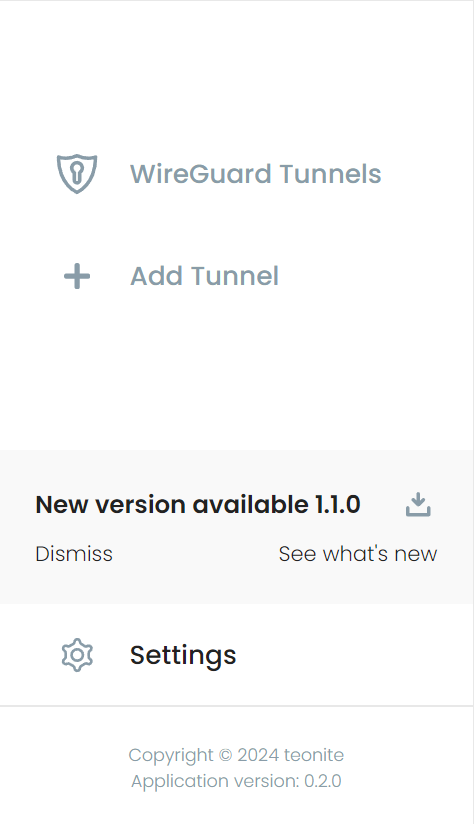
If a new version is available, a notification with a download button will be shown near the bottom of the menu.
New Desktop Client version available for download
### Log files
All relevant application logs should be available in the clients Settings where they can be filtered by source and log level:
In case of unexpected issues the log files themselves can also be found in the following locations by default:
| Platform | Client logs | Background service logs |
| -------- | ------------------------------------------------- | ------------------------- |
| Windows | C:\Users\\AppData\Roaming\net.defguard\logs | C:\Logs\defguard-service |
| macOS | {homeDir}/Library/Logs/net.defguard | /var/log/defguard-service |
| Linux | $HOME/.local/share/net.defguard/logs | /var/log/defguard-service |